
Admin Setting up Pushes for Another User
- Login as the Administrator
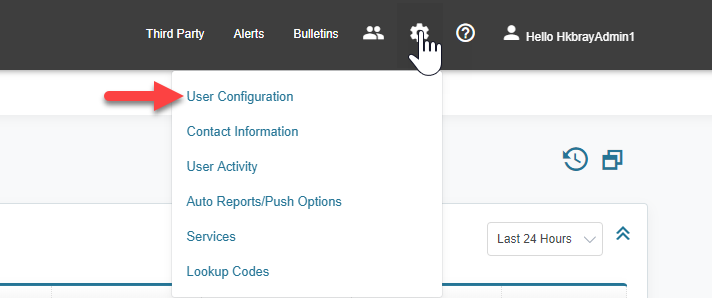
- Hover over the cogwheel, and then click on “User Configuration”.
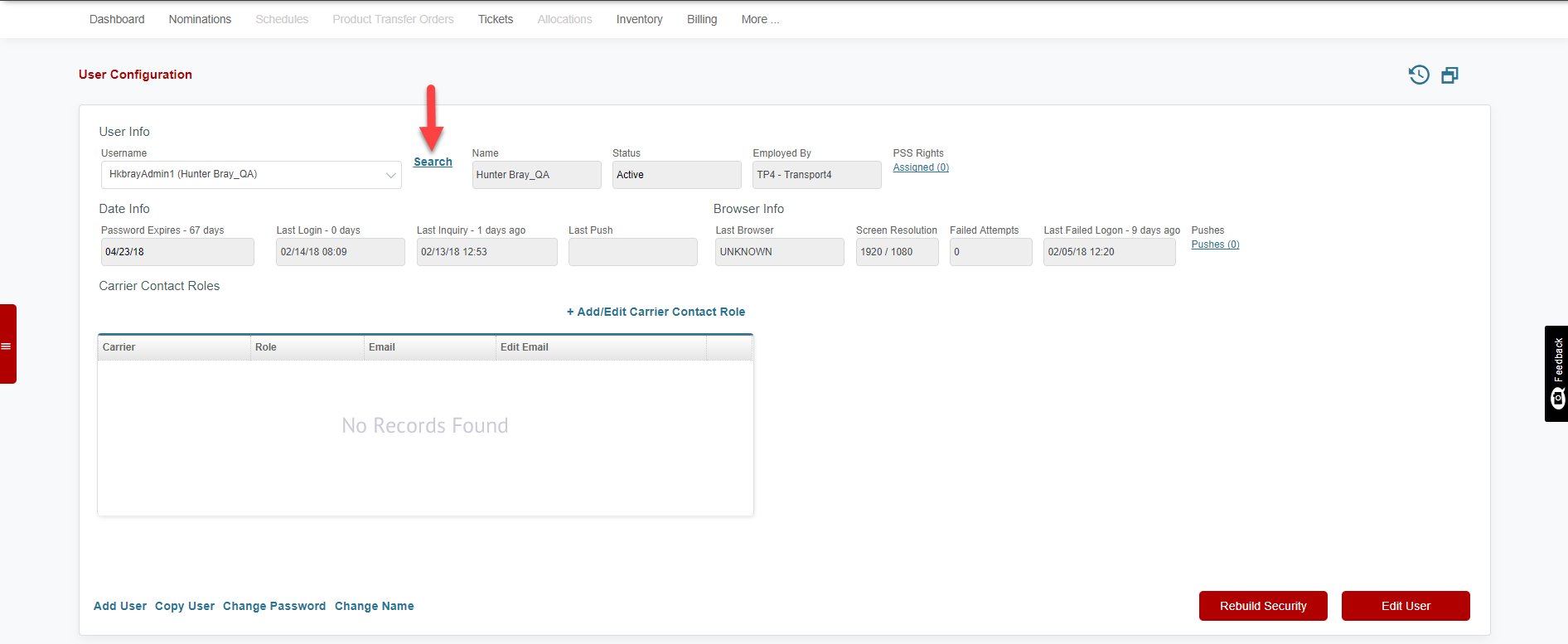
- Click “Search” to open the User Search screen.
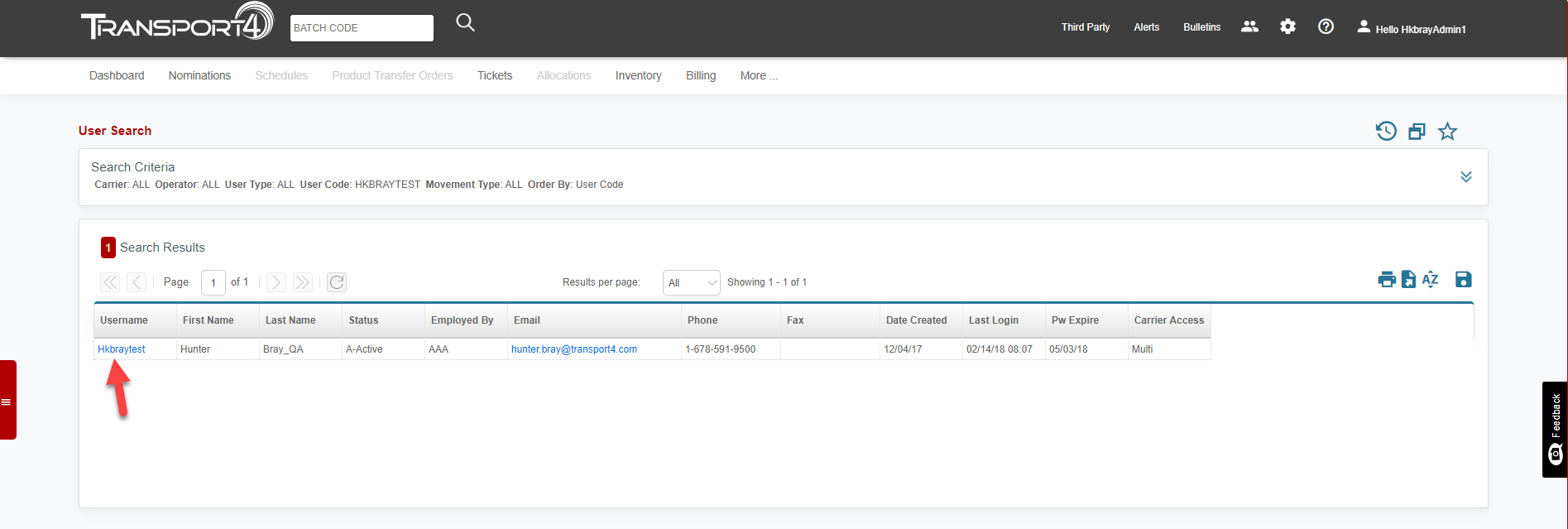
- Enter Username, Email Address, or any of the other search options and click “Search”. Click on the Username of the User that you will work with.
- Hover over the cogwheel, and then click on “Auto Reports/Push Options”.
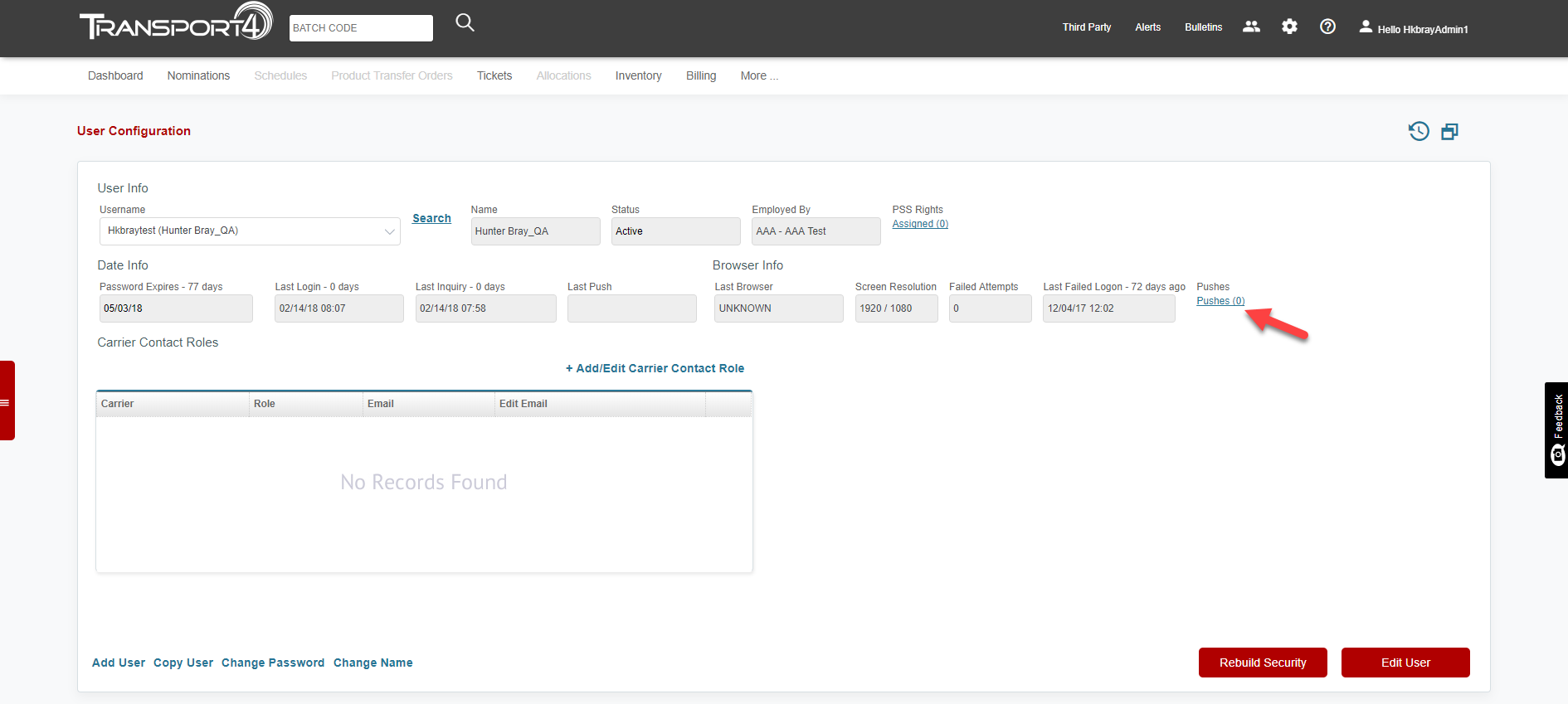
- You can now access and make changes to this User’s pushes.
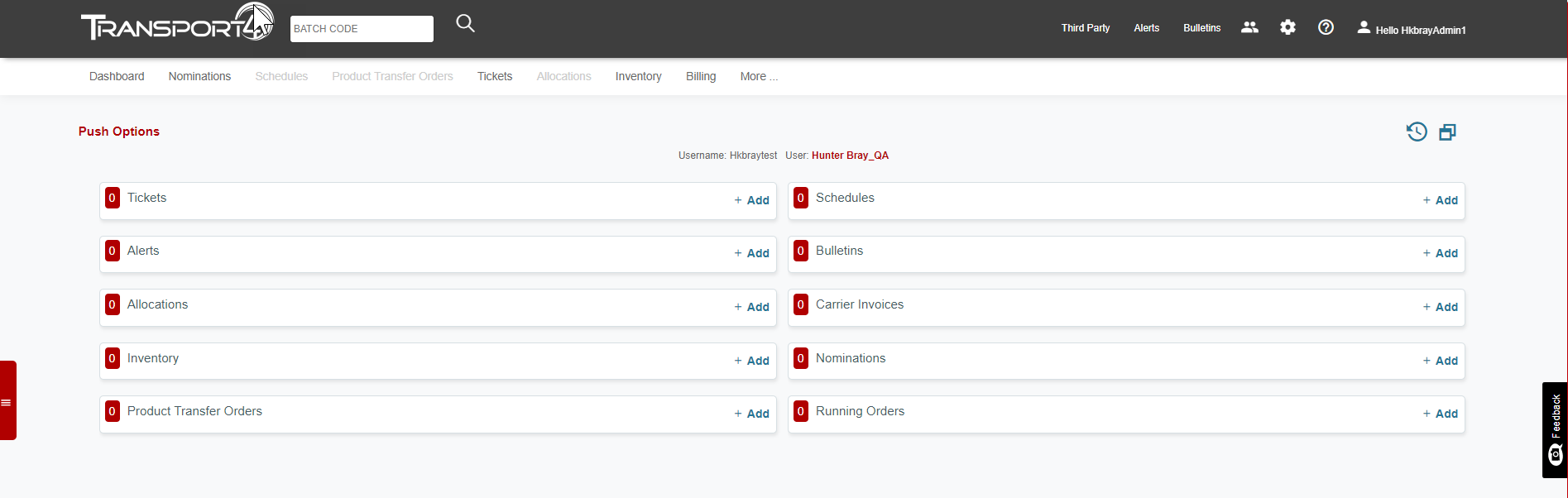
You will know the user that you are working on because their Username is at the top of the Pushes.
Comments
0 comments
Please sign in to leave a comment.