
P66 Inventory | Custody Statement - Facility Lifting - EP Equivalent
To get to the Inventory page, hover over the Header Inventory, then click on P66. The Inventory page is where you will find the following reports:
- Facility Liftings: Only applicable to refined products
- EP Equivalent: Limited to Pipeline System SBP (Skelly-Belvieu)
- Custody Statement: All-inclusive report
Custody Statement
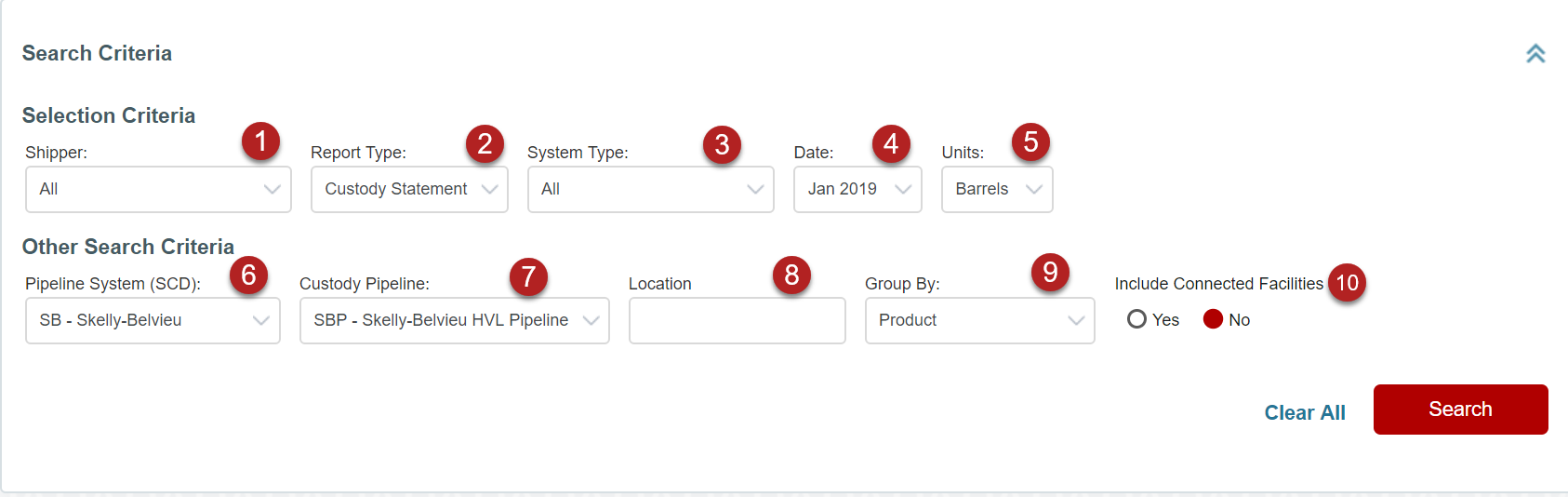
Custody Statement Search Screen
-
Shipper: Customized by access rights; i.e. AAA would only see AAA in the list, however, a P66 Pipeline Employee would see all shippers.
-
Report Type: Custody Summary, EP Equivalent, Facility Liftings
-
System Type: Custody Statement will show All, Crude, Refined, NGL
-
Date: Can be Month to Date or Final, depending on what has been sent over from P66.
-
Units: Barrels and Gallons
-
Pipeline System (SCD): Selecting All will give you the broadest data set; selecting an SCD will give you a broad data set
-
Custody Pipeline: Allows the user to narrow down the results set to a particular Custody Pipeline.
-
Location: Allows the user to narrow down the results set to a particular location.
-
Group By: Allows the user to group the results set in the following categories:
-
Product
-
Product Group
-
Product Group by Line
-
Line by Product Group
-
-
Include Connected Facilities: Yes or No determines if the report contains the facilities section or not.
Custody Statement Summary Screen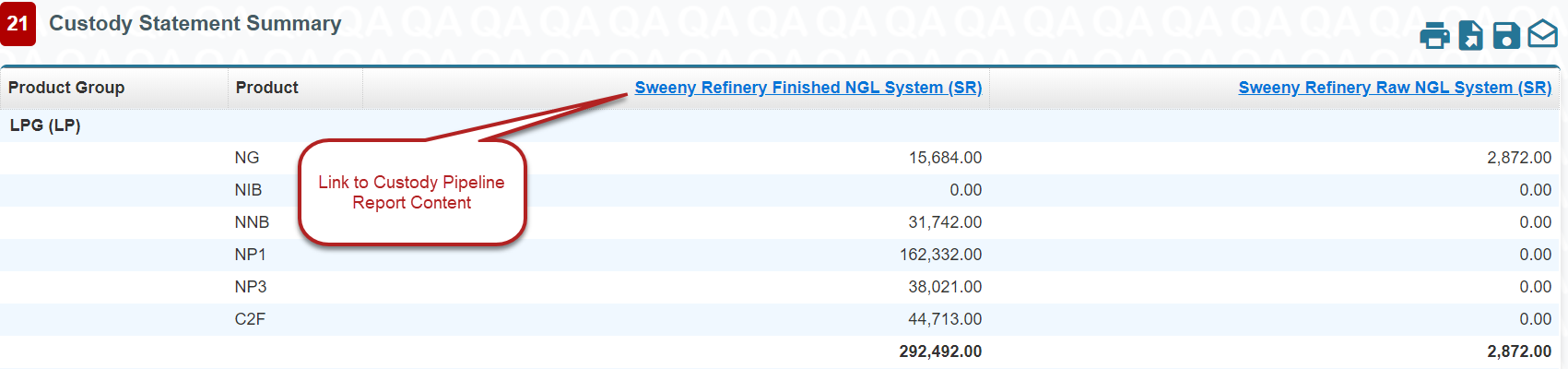
The Custody Statement Summary screen contains Custody Pipelines at a Summary level. This is the interim screen that is displayed after clicking Search from the Custody Statement report search criteria.
Custody Summary Report Screen (Line)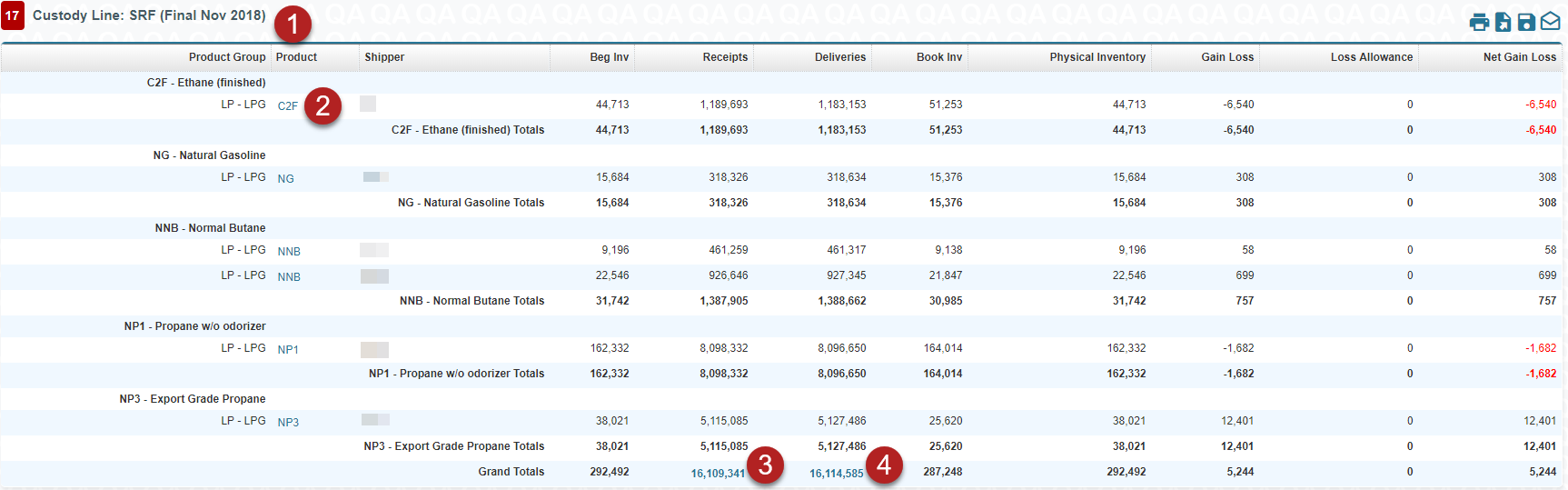
Custody Summary Report Screen (Location)
-
Custody Line or Location section: This section of the report contains data that is related to a particular pipeline segment or particular Location
-
Product Link: Opens a new tab where the search parameters from the report are used to display the ticket details
-
Receipts Link: Opens a new tab where the search parameters from the report are used to display the ticket details. Your search will populate with 15,000 results, you are able to print more
-
Deliveries Link: Takes the user to a Phillips66 Inventory Ticket Detail screen. Your search will populate with 15,000 results, you are able to print more
Facility Liftings Report
Facility Liftings Search Screen 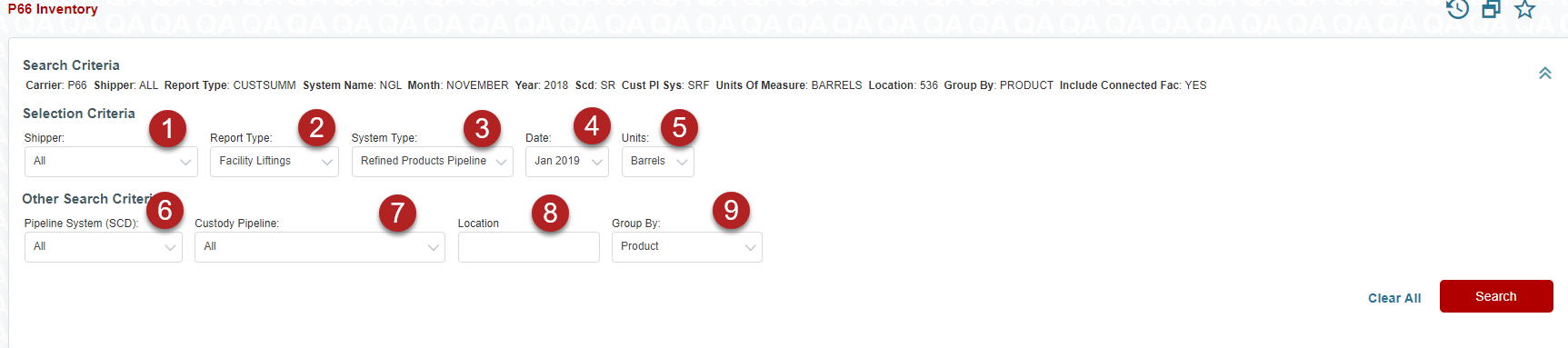
-
Shipper: Customized by access rights; i.e. AAA would only see AAA in the list, however, a P66 Pipeline Employee would see all shippers.
-
Report Type: Facility Liftings
-
System Type: Defaults to Refined Products
-
Date: Can be Month to Date or Final, depending on what has been sent over from P66.
-
Units: Barrels and Gallons
-
Pipeline System: Selecting All will give you the broadest data set; selecting an SCD will give you a broad data set
-
Custody Pipeline: Allows the user to narrow down the results set to a particular Custody Pipeline.
-
Location: Allows the user to narrow down the results set to a particular location.
-
Group By: Allows the user to group the results set in the following categories:
- Product
- Product Group
Facility Liftings Report Screen (Search Results)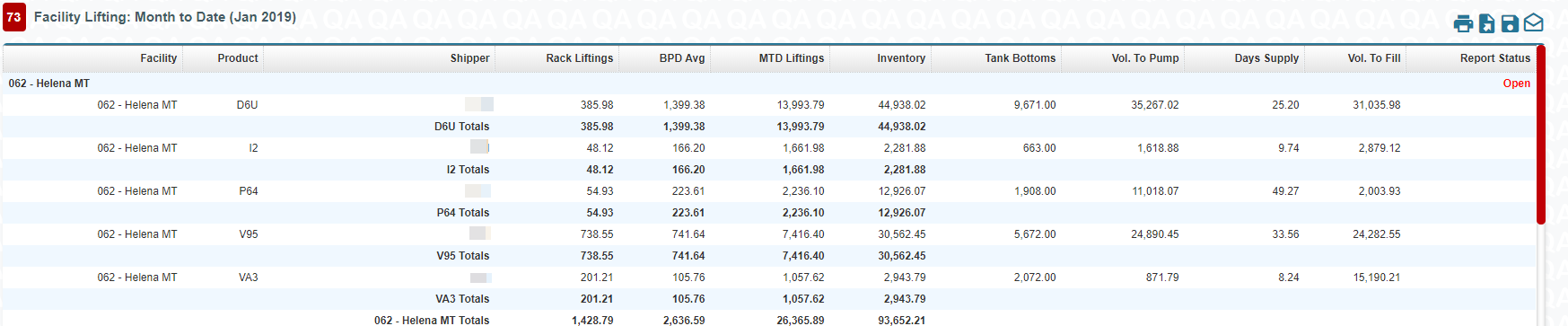
EP Equivalent Report
EP Equivalent Search Screen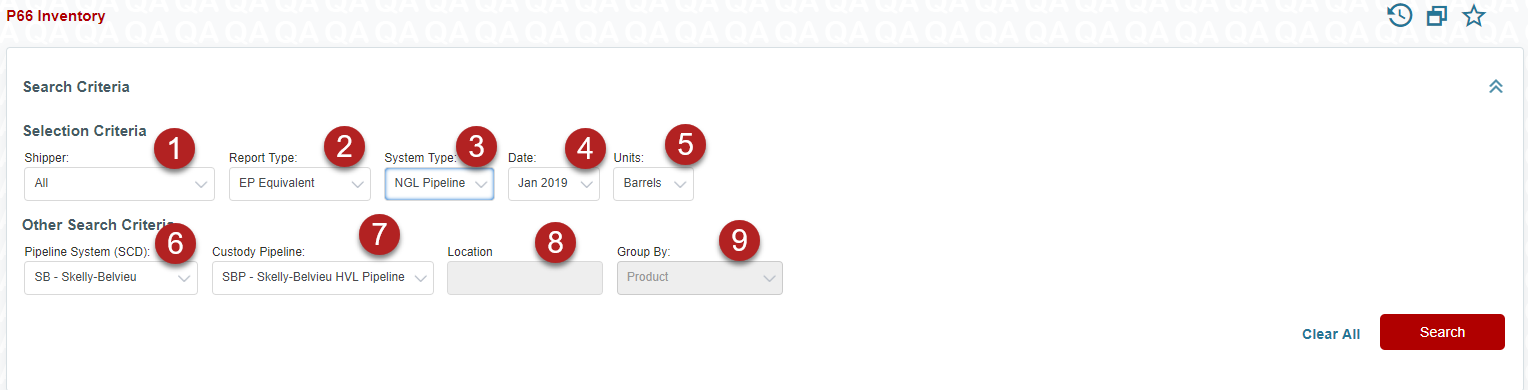
-
Shipper: Customized by access rights; i.e. AAA would only see AAA in the list, however, a P66 Pipeline Employee would see all shippers.
-
Report Type: EP Equivalent
-
System Type: Only option is NGL pipeline
-
Date: Can be Month to Date or Final, depending on what has been sent over from P66.
-
Units: Barrels and Gallons
-
Pipeline System (SCD): Skelly-Belvieu (SB) is the only option
-
Custody Pipeline: Skelly-Belvieu HVL (SBP) is the only option
-
Location: Not Applicable
-
Group By: Not Applicable
Comments
0 comments
Please sign in to leave a comment.