
How to Copy a Nomination
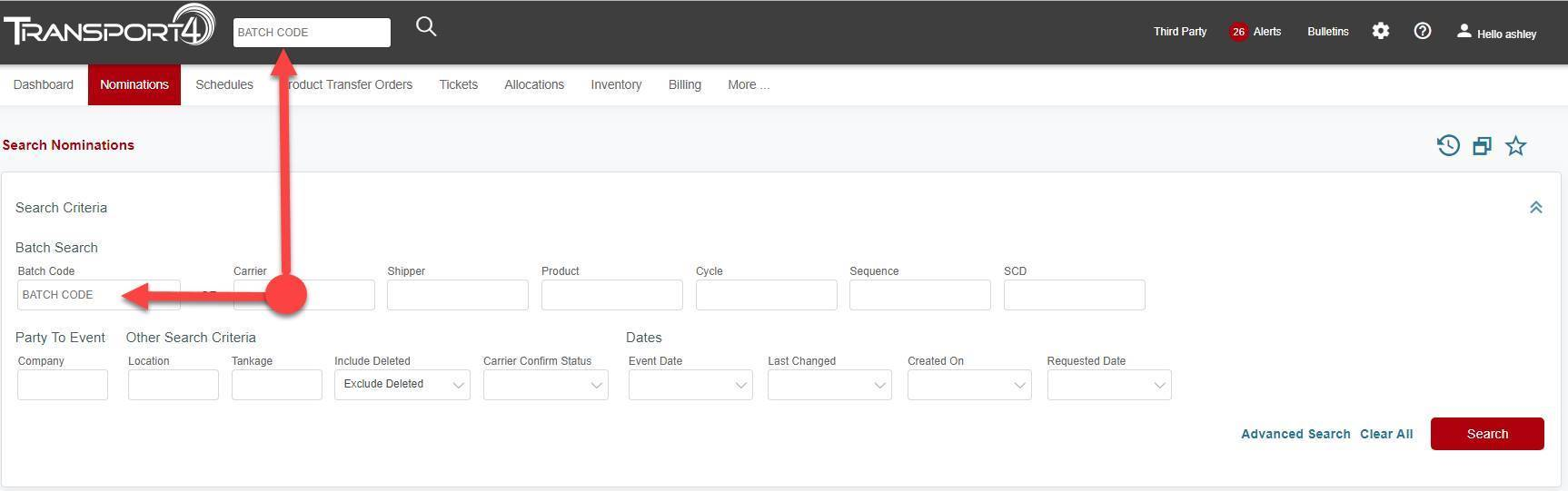
1. Enter the complete Batch Code or as much information as you have in the Search bar or the Search Nominations page. (Both areas indicated by red arrows below) and click “Search”.
If you do not know the complete Batch Code, enter at least 2 variables and the Top 25 Results will be returned.
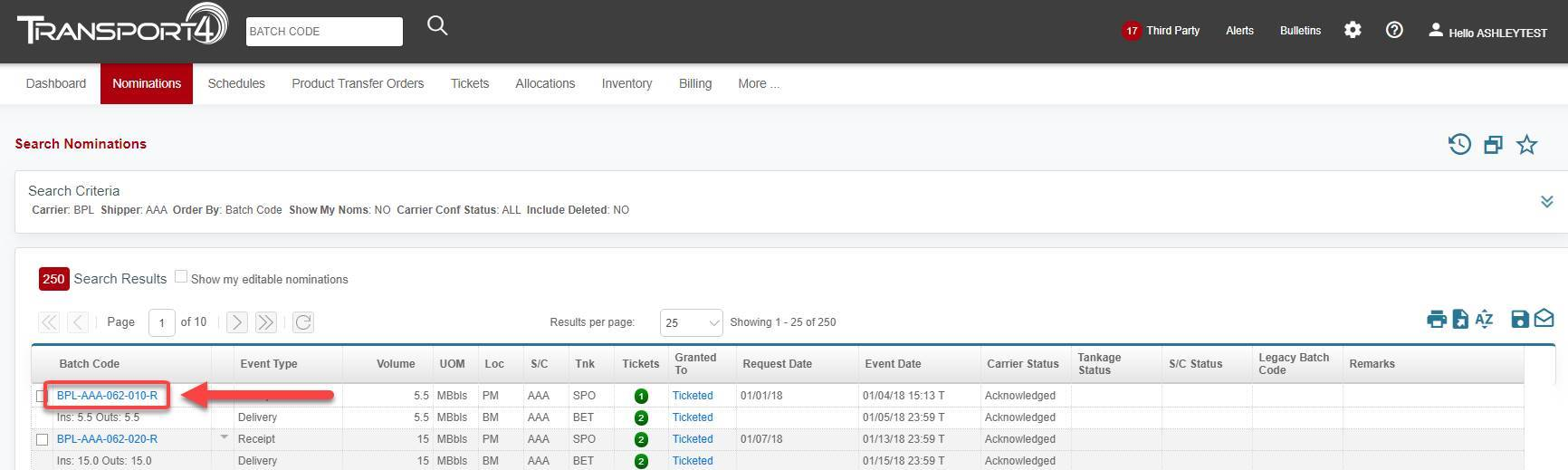
2. Once the correct batch is identified, click the Batch Code link which will take you to the Batch Details screen.
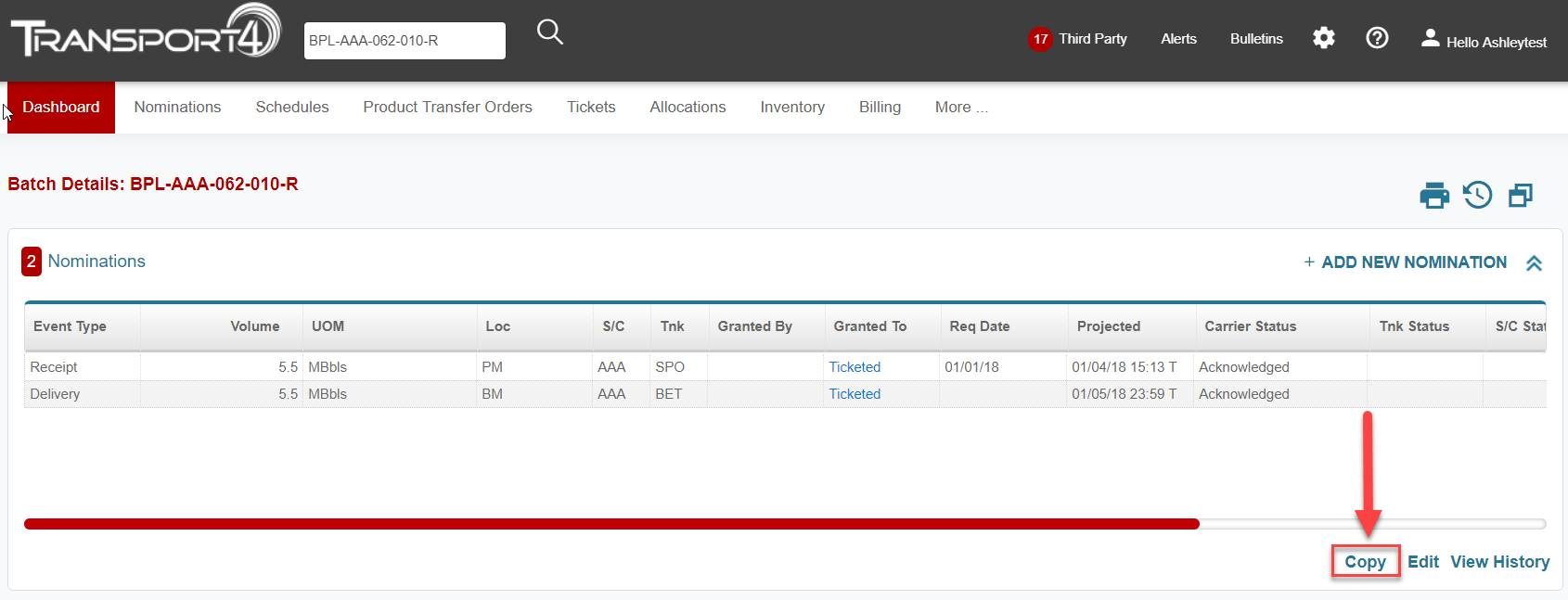
3. Once you arrive at the Batch Details screen, click the Copy link toward the bottom of the panel.
4. Clicking the Copy link will generate a Nomination Change pop-up. The non-editable fields are grayed out. All other fields are editable.
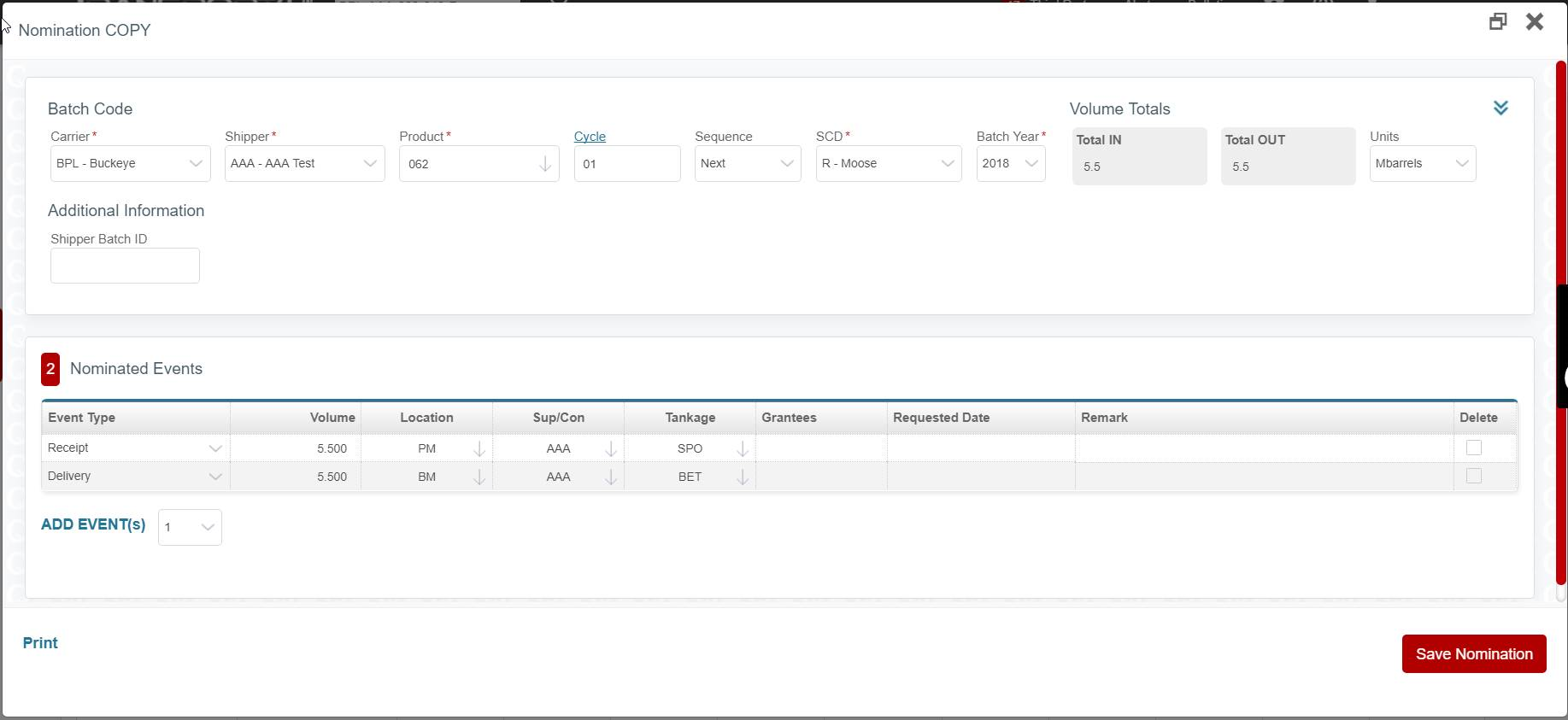
5. Once changes have been made, click Save Nomination. The edit will be confirmed by a Success indicator as show below:

Comments
0 comments
Please sign in to leave a comment.