
The Drawer, hidden on the left side of the website, slides out to enable the quick filtering and picking of carriers and other criteria.
The Drawer controls the data displayed on the dashboard and dictates the actions of searches on the following pages: Nominations, Schedules, PTOs (Product Transfer Orders) and Tickets (if the "Drawer" is selected as a search preference).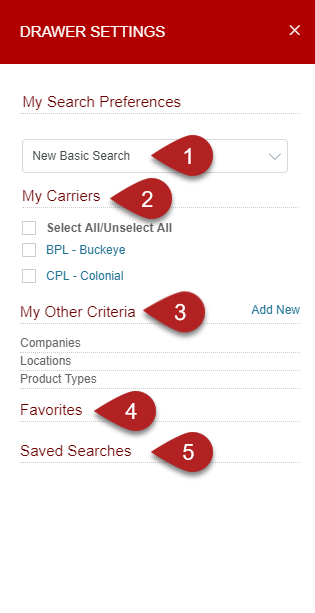
- My Search Preferences – This will set the default search preferences throughout the application.
- Drawer (Top 100 Results)
- Nominations, Schedules, PTO, and Ticket Search
- New Basic Search
- New Advanced Search
- Last Search of this Type
- Last Search Across All Types
- Drawer (Top 100 Results)
- My Carriers – You can choose to see data on specific carriers or on all carriers.
- My Other Criteria – This will allow you to filter results based on Company, Location, and/or Product Type.
- Favorites – Add pages that you often use by clicking on the star.
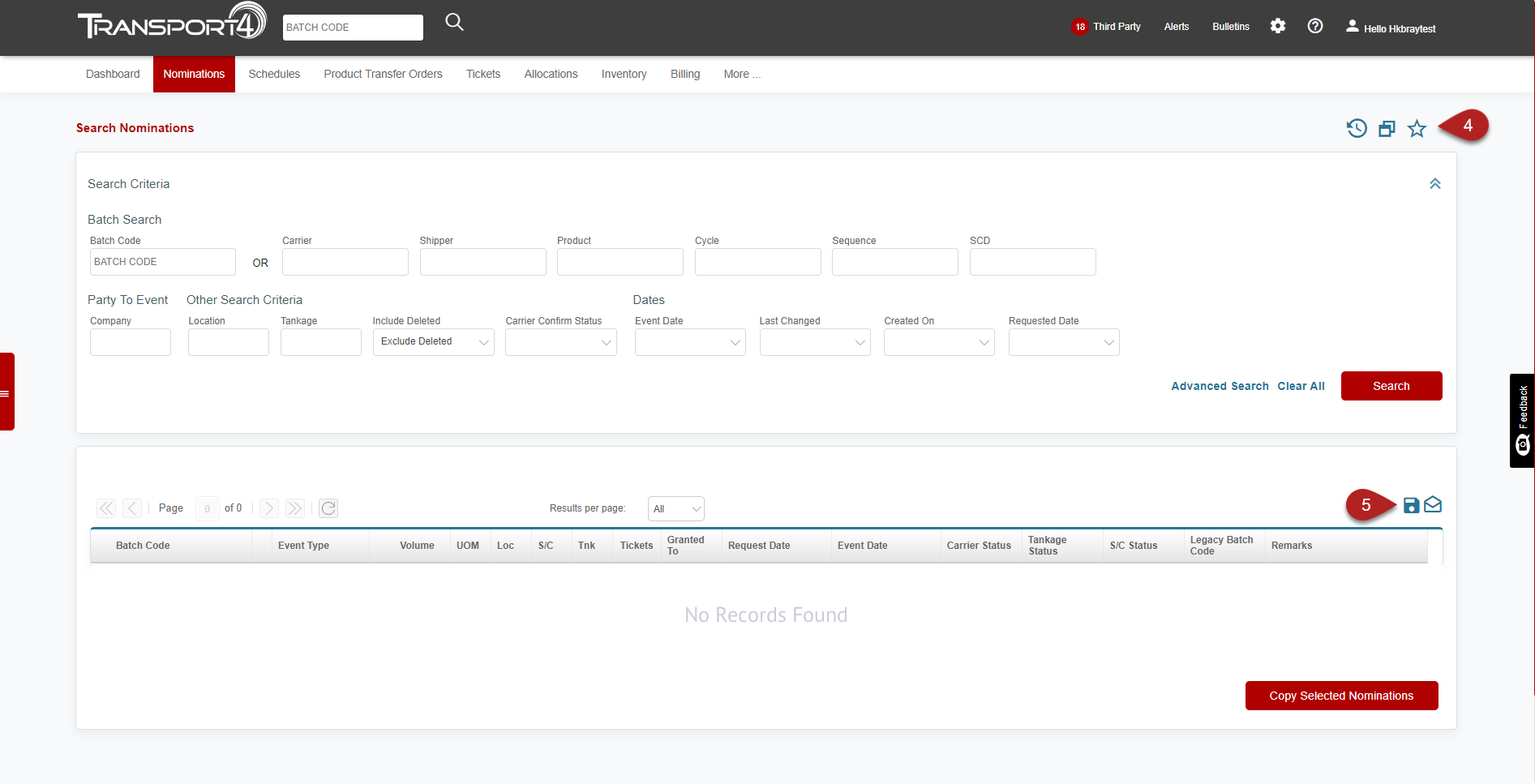
- Located in the upper right corner of most pages, bookmarks Favorite pages by clicking on the star icon. Filter and search information are not saved, only the page location is saved and appears under Favorites in the drawer.
- Saved Searches – Provides you with quick access to searches that you perform regularly. Save a search by clicking on the disk icon on your search screen.
- Located in the upper right corner of the grid for all search pages, allows searches to be saved by name by clicking on the disk icon and assigning a name to it. Search criteria are saved and appear under Saved Searches in the drawer.
Below is a video on how to use The Drawer:
Comments
0 comments
Please sign in to leave a comment.