
When entering a Terminal Nomination such as an Inbound/Outbound Barge or Ship Nomination, a vessel name must be entered to submit a successful Nomination, in the nominated events. See (Figure 1).
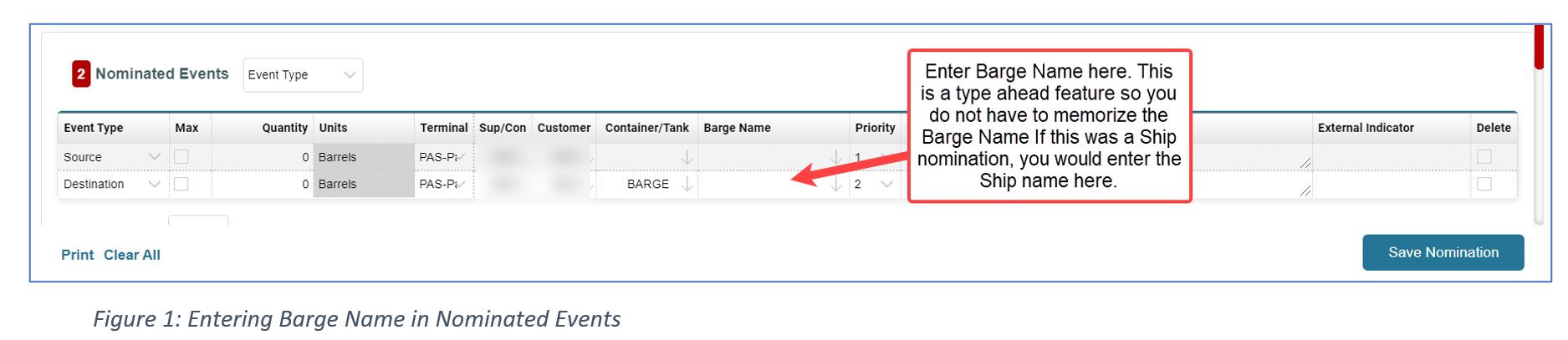
A Carrier Administrator must enter Vessel names in our Reference Tables for them to be visible to the shipper community when entering a nomination. This article will focus on how to enter those Vessel names in T4.
Entering a Vessel in T4
To enter Vessel names, you will need to be signed into a Carrier Admin account. Once you are logged in, click on the  Cogwheel icon and click on Reference Tables.
In reference tables, please follow the steps below to see if the Vessel is already in T4.

- Select the Carrier (In this example KME)
- Table (Connecting Carriers)
- Search By (Description)
- It is good practice searching to see if the Ship/Barge name is already in T4 prior to adding to T4.
- Enter the Search Term in the Box and click Search to see if the Vessel name is already available.
If the Vessel name is not in T4, then you will need to add it and follow the instructions below.
Step 1: In the Reference Table Manager, click on + Insert New Record
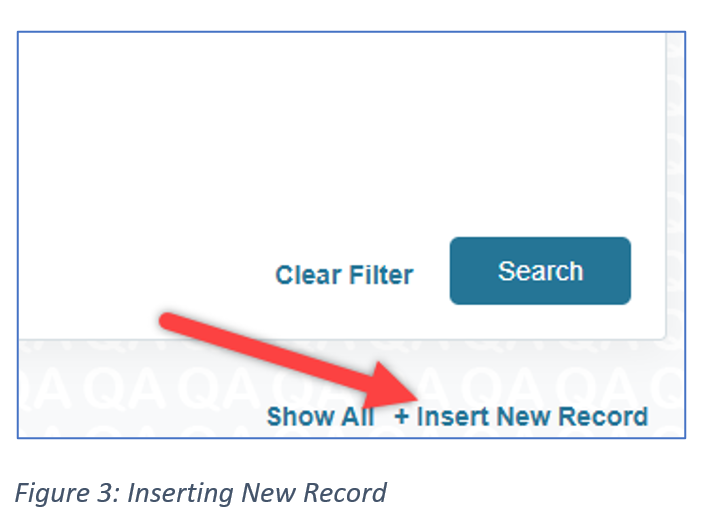
Step 2: Enter the following pieces of information.

- Carrier Connecting Carrier Code: This is going to be the Vessel name mixed with the scac code.
- Scac: A scac code is an identification code that identifies and makes the Vessel unique. (i.e. HJ67) This is a code that you will make up. Please keep in mind that there cannot be 2 of the same scac codes. Each scac code is unique.
- Short Description: This will allow you to enter up to 16 characters
- Long Description: You can enter past 16 characters here
- Connecting Carrier Type: Enter “B” for Barge and “S” for Ship.
Click Insert to enter the Barge/Ship name into T4.
Once the Vessel has been entered in T4, the Shipper will be able to enter the Vessel name on the Terminal Barge and Ship Nominations. (Figure 5) shows a Barge entered in T4.

Attaching Vessel to a Location (KME Only)
For Kinder Morgan, after you have created the Barge/Ship name, you will need to connect that Vessel to a Terminal Location (BOS, CAR, CTR, GP, PAS, GCBR, GPW).
To attach the Vessel name to a Terminal Location, you will need to go to a different table.
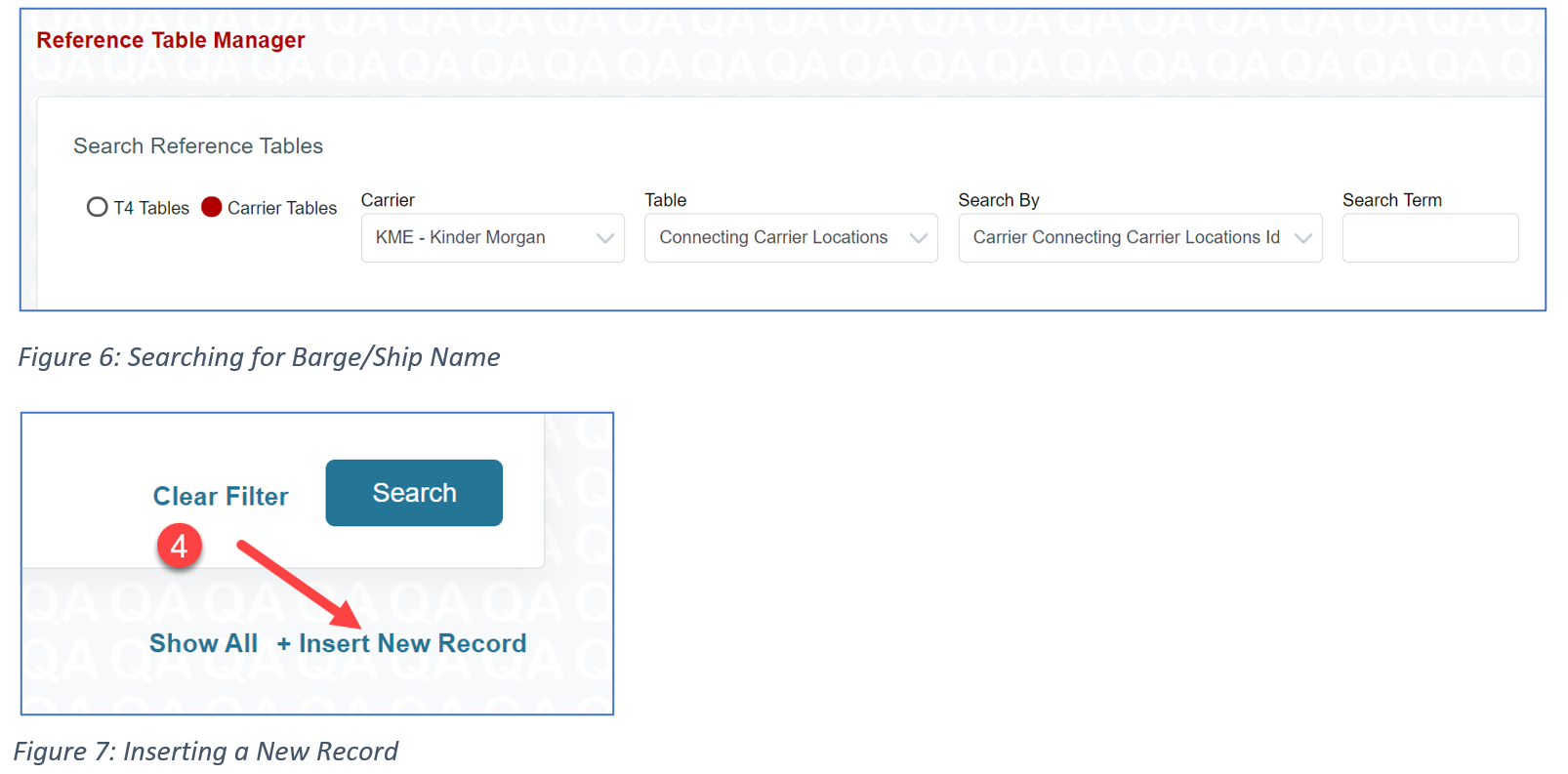
In reference tables, please follow the steps below to attach the Barge/Ship to a location.
- Select Carrier Tables
- Select the Carrier (KME)
- Please note, the Carrier Locations table is only for Kinder Morgan.
- Table (Connecting Carrier Locations) (Figure 6)
- Click on + Insert New Record (Figure 7)
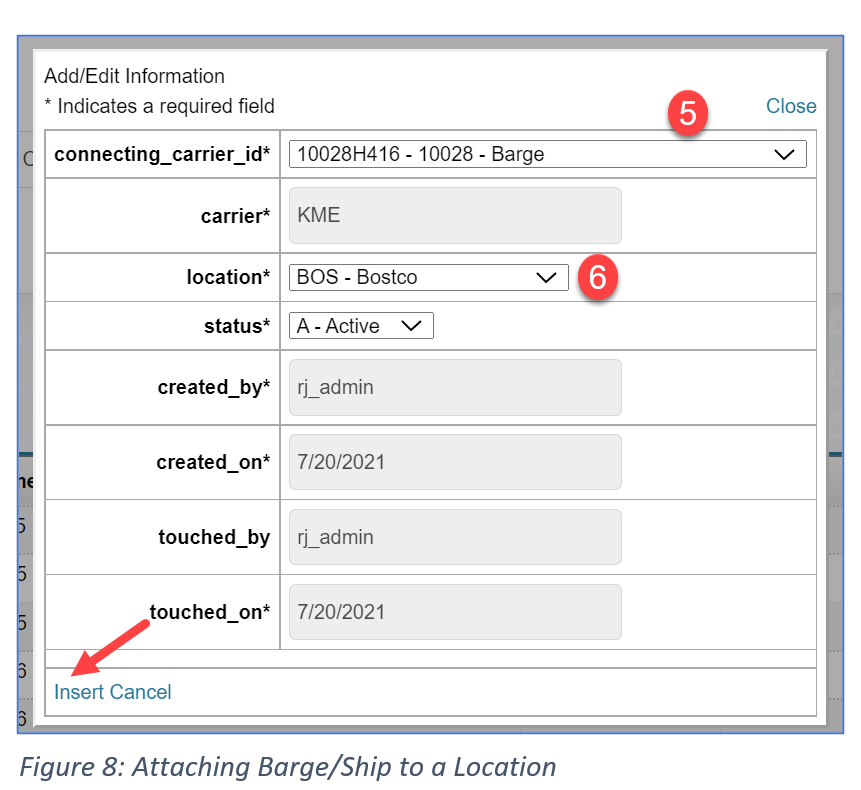
- To attach to a Location, you will need to select the Barge/Ship name
- Select the Location that you want to attach the Barge/Ship to (Figure 6)
- Click Insert
Comments
0 comments
Please sign in to leave a comment.