
Irregularities in movement volumes, such as late volume changes or overestimations of initial nominations, create disturbances in the optimization and scheduling of a pipeline, facility, and/or location. In order to streamline unexpected changes and curtail late nomination changes, which disrupts both pipeline operations and shipper activates, a Nomination Integrity Program (NIP) is implemented.
The Nomination Integrity Program is published in T4 under the Nominations -> Nomination Integrity tab for West Shore (WSP) and Explorer Pipeline (EXP). Colonial publishes NIP data under the CPL Integrity submenu.
How to access NIP
Step 1) Click on Nomination Integrity from the Nomination Menu
NIP Menu
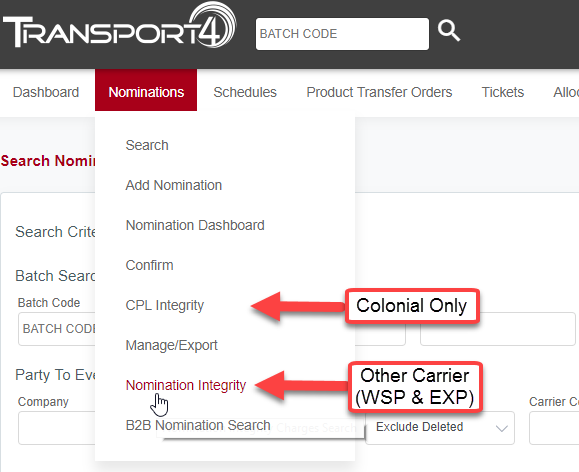
*CPL Integrity is for Colonial Only while Nomination Integrity is for (WSP & EXP)
Step 2) Enter your filter criteria
NIP Search Criteria
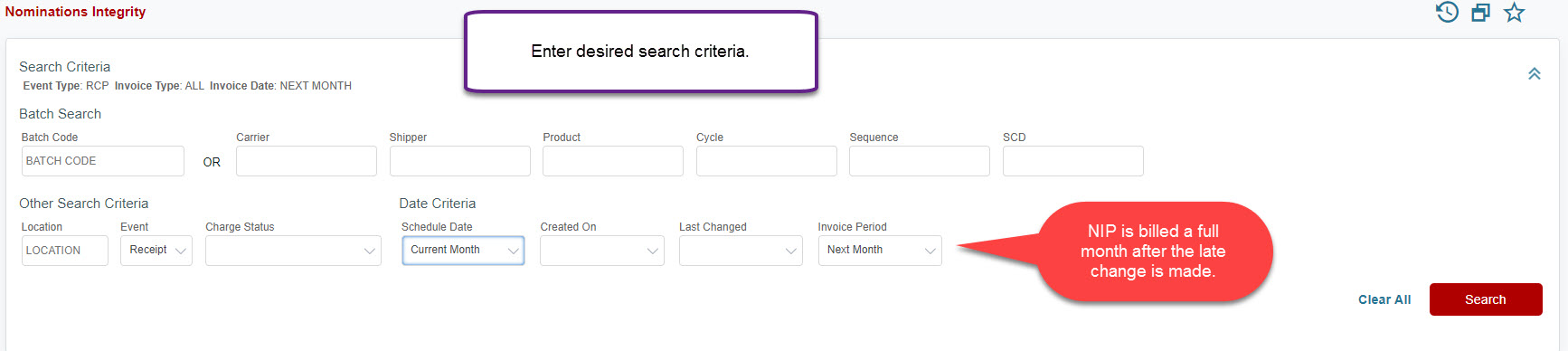
NIP is billed a full month after the change is made. (Ie. late changes made in February are billed for April 1st which is the March billing period).
Step 3) View Search Results
NIP Search Results with Charges
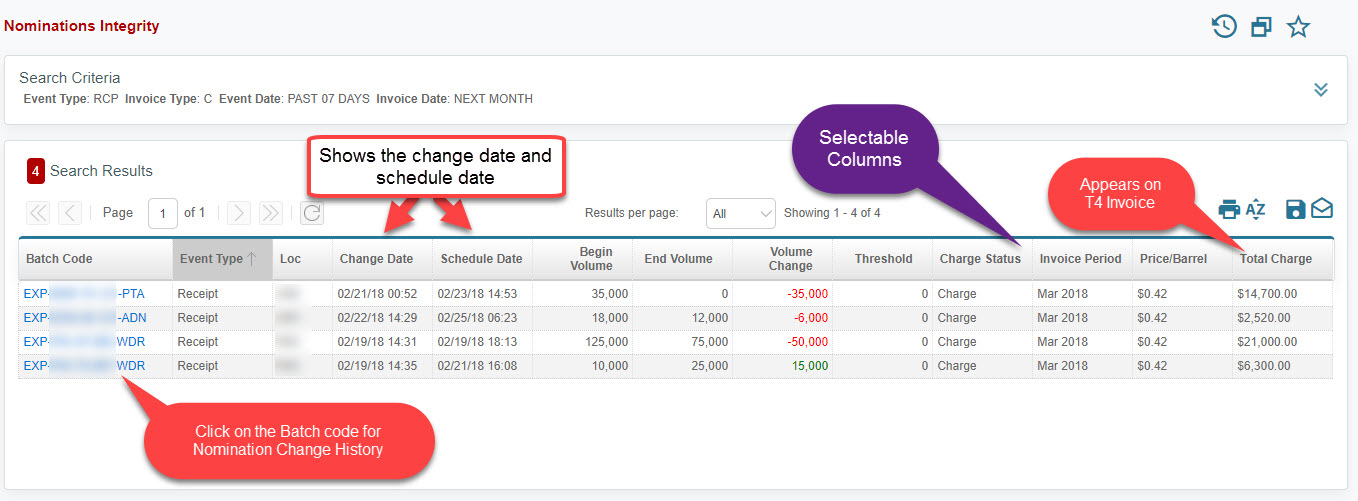
Step 4) View Charges on T4 invoice (WSP and EXP Only)
Transport4 Invoice
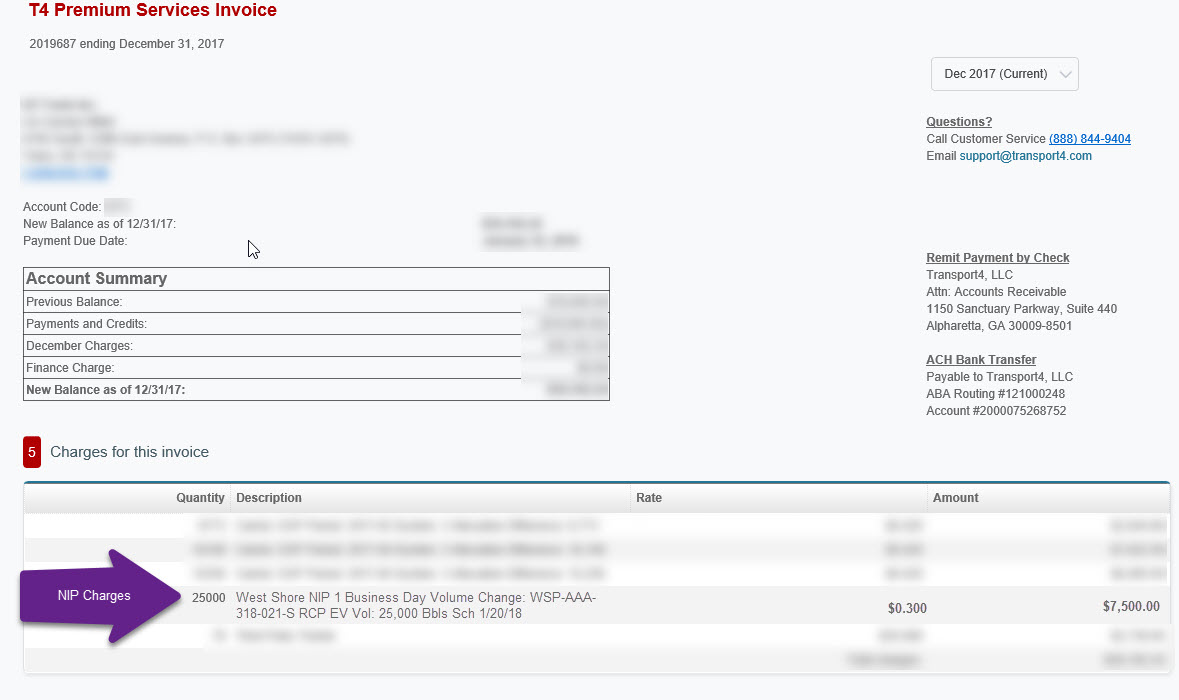
If you have questions about the Nomination Integrity Charge, please contact the carrier. Transport4 is not able to change, alter, waive, or delete a NIP charge.
T4 invoice can be viewed by users with "Accounting", "Primary Company Administrator", and "Company Administrator" user types.
Comments
0 comments
Please sign in to leave a comment.