
How to Save a Search and Set Up as a Push
A Periodic Push allows you to save an inquiry and have it emailed and/or faxed to you periodically throughout the day. In order to set up a Periodic Push, you must first save your search criteria.
For this example, we will use Schedules.
You can also set up a Periodic Push for:
- Running Orders
- Allocations
- Inventory
- PTO's
- Tickets
- Nominations
To save your Scheduled search criteria, you will first hover over Schedules in the Header, then click on Search.
Once the Schedule Search appears, enter all data that you would like to see, then press search. You will now see all Search Results for the information you provided. In order to narrow down your search results, you will need to enter more information under Search Criteria. 
When you click on the Saved Search Criteria icon, a pop up will appear where you will name your Saved Search: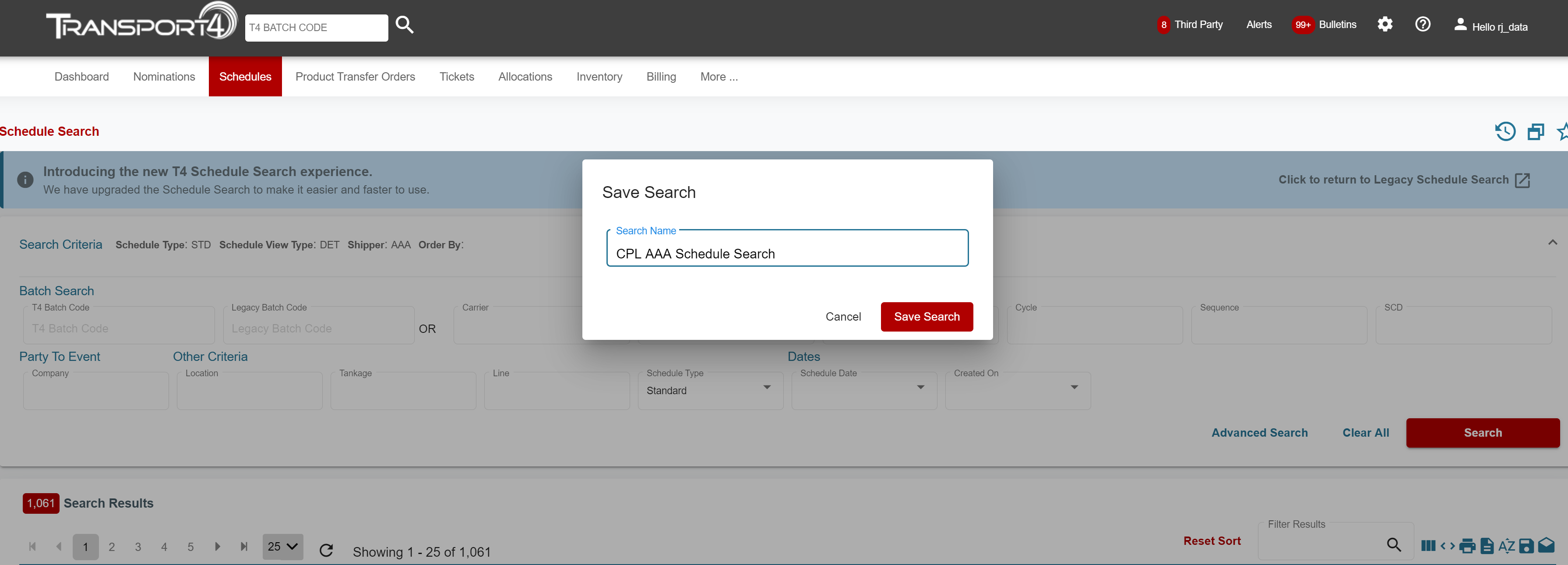
After you enter a name for your Saved Search, you can then create the push. In order to do that, click the Push Option icon, seen below: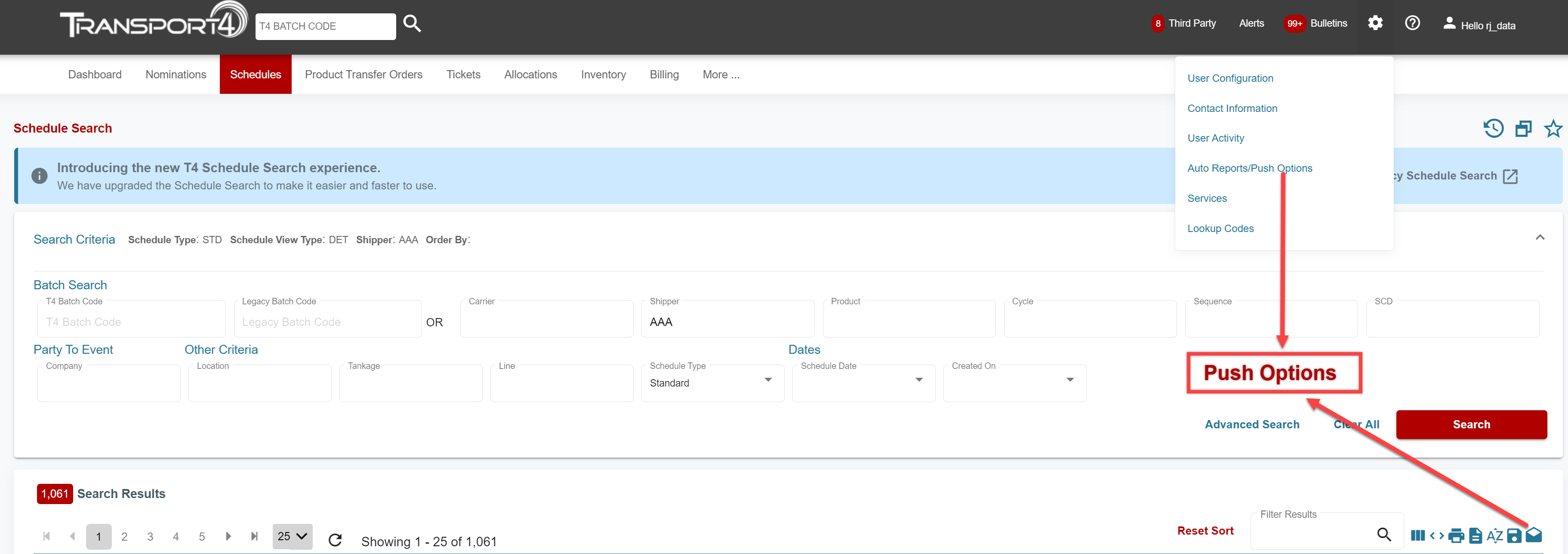
You can also view your Saved Searches by using the Drawer. The Drawer is located on the left side of the screen and can be accessed by pressing the vertical red arrow.
At this point, you can now create the Periodic Push for Schedules. To schedule a Periodic Push, please view this article:
How to Set up a Push
Comments
0 comments
Please sign in to leave a comment.